

Learning to write code doesn’t need to be an isolated experience. With VoiceThread, writing code isn’t just about turning your ideas into lines of text; it’s about sparking discussions, sharing insights, and collaborating with peers and instructors. VoiceThread is all asynchronous, so you can lock-in when you’re in the zone and then share and collaborate once you’re ready, so you don’t have the hassle of trying to schedule meeting time.
Instructors can create presentations and tutorials and upload them to VoiceThread for some direct instruction in the form of lectures and review lessons, but students can use VoiceThread as collaborative spaces too.
Use Case 1: Snippets with Doodle Tool
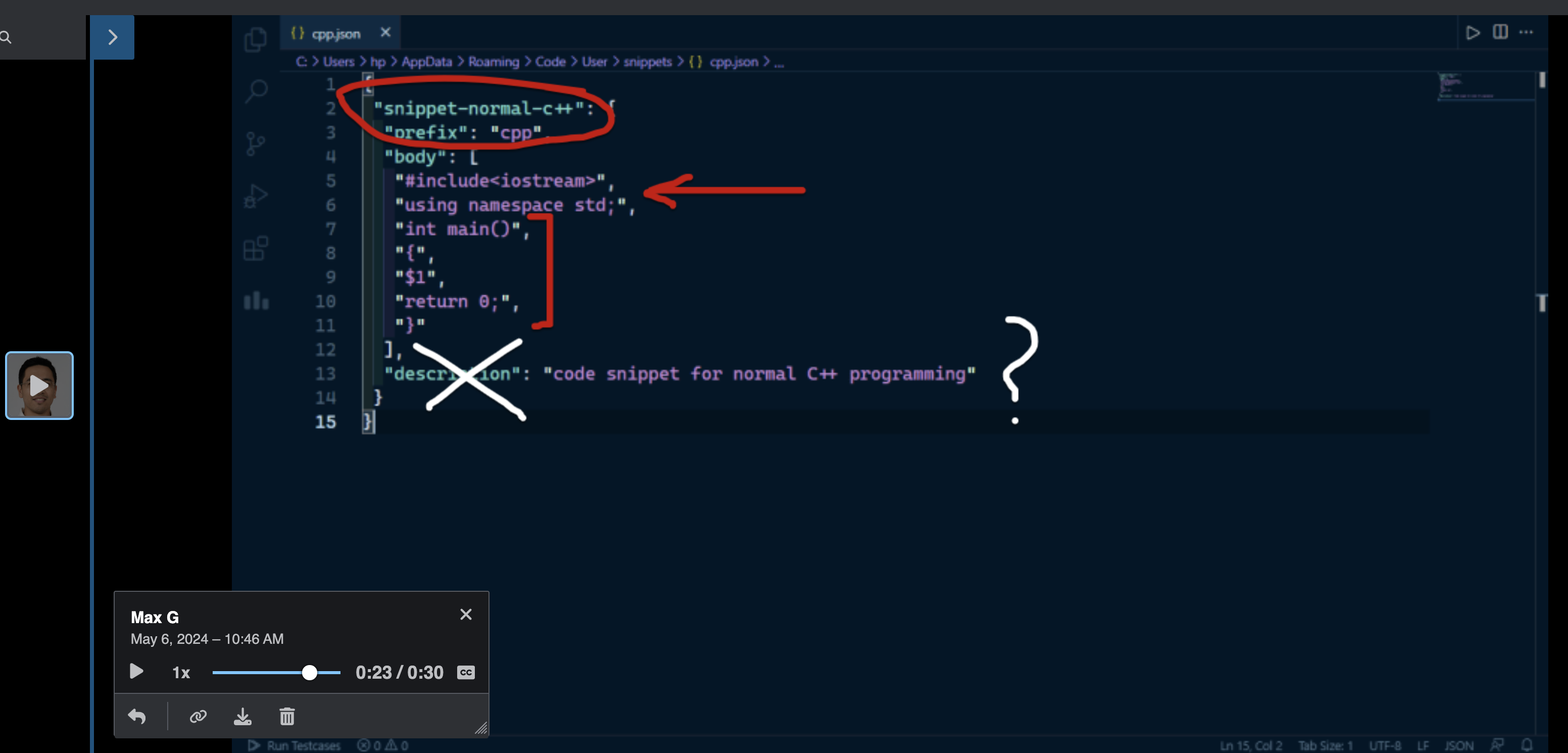
Students can upload snippets of their code to VoiceThread then record their explanations and questions as they use VoiceThread’s doodle tool to highlight specific parts of the code and dive deep into the logic behind it. Picture students circling a tricky algorithm or underlining a crucial variable, all while explaining their thought process. Other students and the instructor can jump in, leaving comments and suggestions for revisions or alternative coding approaches. It’s like having a virtual brainstorming session where everyone’s ideas are heard and valued.
Use Case 2: Screencast Analysis
Uploading snippets can be really useful, but you can also take a screencast video of your code and upload the video files as slides on VoiceThread. Students and teachers can upload screen recordings of their code in action, walking through each line and dissecting their approach. It’s like having a front-row seat to the coding process, complete with live commentary. When students submit their work via a “create” assignment, the instructor can easily jump in for the critique and grading. If the instructor has set up the assignment with the “student gallery” feature turned on, other students in the class can join the discussion too. They can offer peer-review feedback right on VoiceThread, creating a dynamic feedback loop where everyone learns from each other’s successes and struggles.
VoiceThread isn’t just a platform; it’s a virtual playground for coding enthusiasts. Whether you’re doodling on code snippets or analyzing screencasts, VoiceThread can help by fostering collaboration, feedback, and growth every step of the way.
